Excel tables are designed to automatically copy a formula entered in one row down the entire table column.
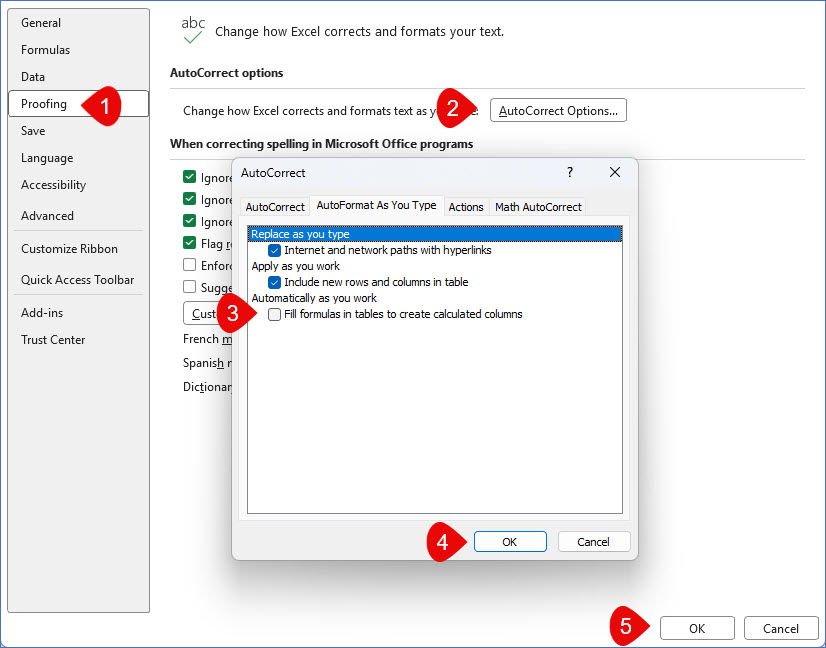
To turn this feature off go to File > Options > Proofing and follow the instructions to the right.

Excel tables are designed to automatically copy a formula entered in one row down the entire table column.
To turn this feature off go to File > Options > Proofing and follow the instructions to the right.