Inserting Links To Other Files & Web Pages
You can insert hyperlinks into any unprotected cell in our Excel files. Using links rather than pasting images or inserting files is a good way to keep your file size manageable.
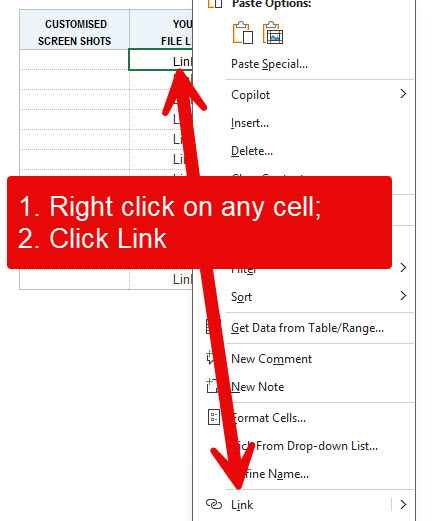
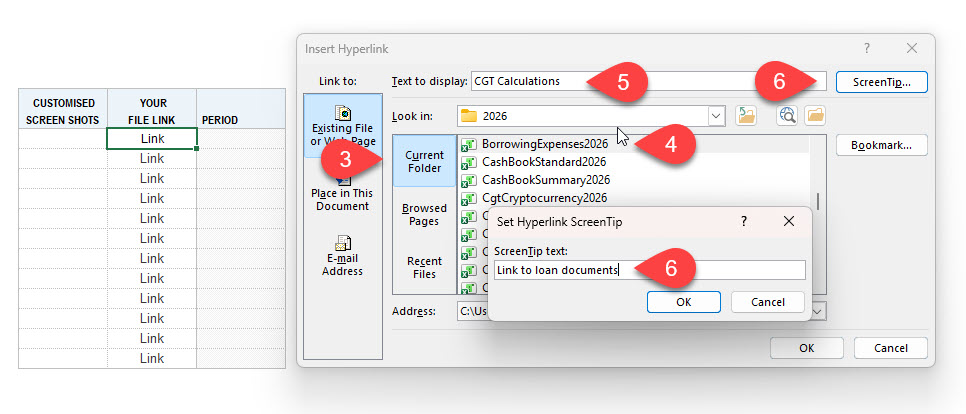
Here are the standard Excel steps to insert a hyperlink into an Excel worksheet –
- Right-click on any cell;
- Click “Link” in the pop-up menu;
- Search for the source of your link;
- Select a file;
- Enter text to display in the sheet;
- Enter a screen tip; and
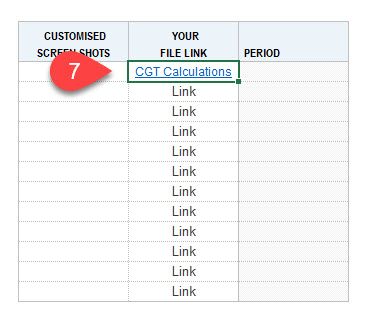
- Text changes to blue and underlined to confirm that the link is now in place.
Other options for managing your supporting documents include screenshots and embedding files. See separate help items for these procedures.